
Digital War2.10.8 - Google Play
You'll be able to see results in few seconds.
Publisher Description
The classic game revives to challenge your limits.
How do you know how fast your reaction is? Here is the chance!
Challenging your limits with this modified classic game Digital War. You will know how fast you react and the coordination of brain and hands can be trained. Always challenging your capability or boundary you thought you can achieve, you can really make difference and breakthrough you never thought before.
Digital War is inspired by classic game Digi Invaders which is a simple but exciting game. You could only play on old calculator then but now you can play on your mobile and tablet.
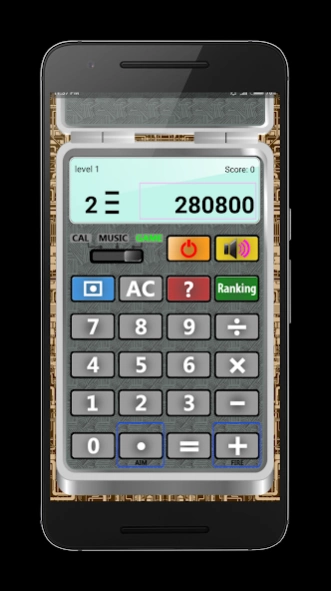
The objective of the game Digital War is very simple(same as Digi Invaders) - To shoot all the invaders/target numbers approaching from the right side of screen.
In Game Mode:
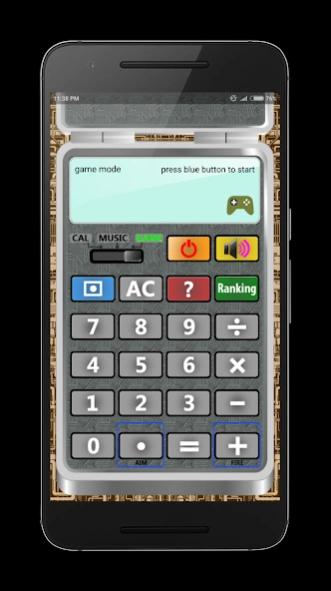
Press "Blue Button" to start or restart the game. "Dot Button" is for you to aim the target and "Plus Button" for you to fire. If number of invaders accumulates more than 8, game over.
There are 12 levels for Digital War game. The speed and numbers of invaders/target increases as the level up. If sum of shot target number is multiples of ten, “Monster” will appear. Shoot it will score higher marks.50 points will be deducted for any mistaken shooting.
In order to increase the difficulty of the game, you have only 1 attempts/life for all ten levels and no PAUSE function is provided.
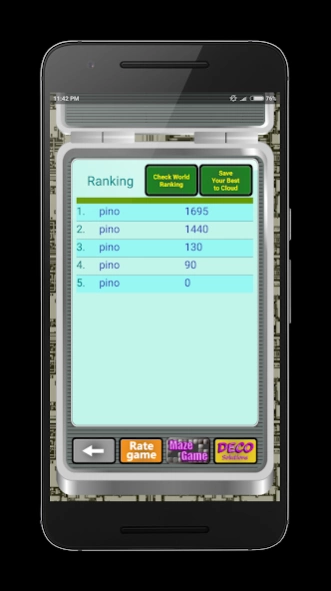
Your score will be recorded locally. Please enter your name for record as the first game ends.
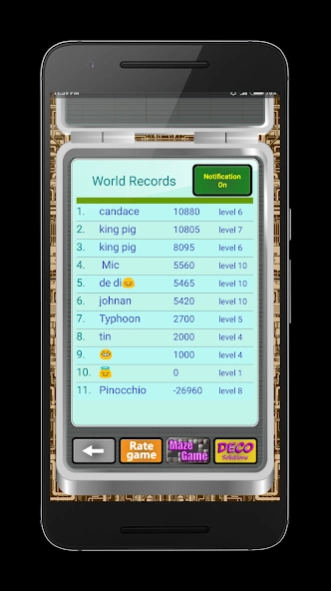
You can also save your best score to Cloud and check the latest world ranking. Ensuring that your score is high enough, otherwise other players will easily overtake your place in world record.
Notification is provided if your world ranking is overtaken by other players and of course you can turn off the notification function. (Notification function only takes effect after you reboot your mobile/tablet. For some mobiles(Xiaomi), you should first go to Setting > Permissions > Autostart to allow Digital War App to autostart as Facebook and Whatsapp do)
Good luck and enjoy this modified classic game.
In Music Mode:
You can compose and play your own music by pressing 1 to 8 buttons.
In Calculator Mode:
You can do simple calculation as all other calculator does.
Other features include:
- no full page and no disturbing advertisements
- nice graphic, simple and user-friendly interface
- save your best score in the cloud
- other players can compete with you to strive for higher place.
- compatible with your mobile to tablets.
Possible updates in future: more levels, different invaders(not only numbers) and etc.
Any opinion to this game? please rate it and leave a comment, or leave you comment here https://:www.facebook.com/decosolutionone.
Your feedback and comments are welcome so we can continue to revise this game and make future apps better.
As indie developers, your support is greatly appreciated.
You can find us on the Facebook page at https://www.facebook.com/decosolutionone.
Enjoy Digital War!
About Digital War
The company that develops Digital War is DeCo Solutions. The latest version released by its developer is 2.10.8.
To install Digital War on your Android device, just click the green Continue To App button above to start the installation process. The app is listed on our website since 2018-09-19 and was downloaded 0 times. We have already checked if the download link is safe, however for your own protection we recommend that you scan the downloaded app with your antivirus. Your antivirus may detect the Digital War as malware as malware if the download link to com.decosolutions.calculatorwar is broken.
How to install Digital War on your Android device:
- Click on the Continue To App button on our website. This will redirect you to Google Play.
- Once the Digital War is shown in the Google Play listing of your Android device, you can start its download and installation. Tap on the Install button located below the search bar and to the right of the app icon.
- A pop-up window with the permissions required by Digital War will be shown. Click on Accept to continue the process.
- Digital War will be downloaded onto your device, displaying a progress. Once the download completes, the installation will start and you'll get a notification after the installation is finished.
Program Details
System requirements
Download information
Pricing
Version History
version 2.10.8
posted on 2018-09-19
Major Updates:
*Privacy policy added.
*Performance enhancement.
We will keep making periodic updates to improve performance and fix any issue aroused by your comment and feedback.
version 2.10.4
posted on 2016-12-12
Major Updates:,*Performance enhancement and bugs fixed.,We will keep making periodically updates to improve performance and fix any issue aroused by your comment and feedback.
Disclaimer
Official Google Play Link
We do not host Digital War on our servers. We did not scan it for viruses, adware, spyware or other type of malware. This app is hosted by Google and passed their terms and conditions to be listed there. We recommend caution when installing it.
The Google Play link for Digital War is provided to you by apps112.com without any warranties, representations or guarantees of any kind, so access it at your own risk.
If you have questions regarding this particular app contact the publisher directly. For questions about the functionalities of apps112.com contact us.
